Optimizing AutoDJ Schedules for 24/7 Online Radio
Dead air kills a station faster than a bad song. Here's how to build an AutoDJ schedule that sounds like a real station running around the clock — not a playlist on shuffle.
What AutoDJ actually does
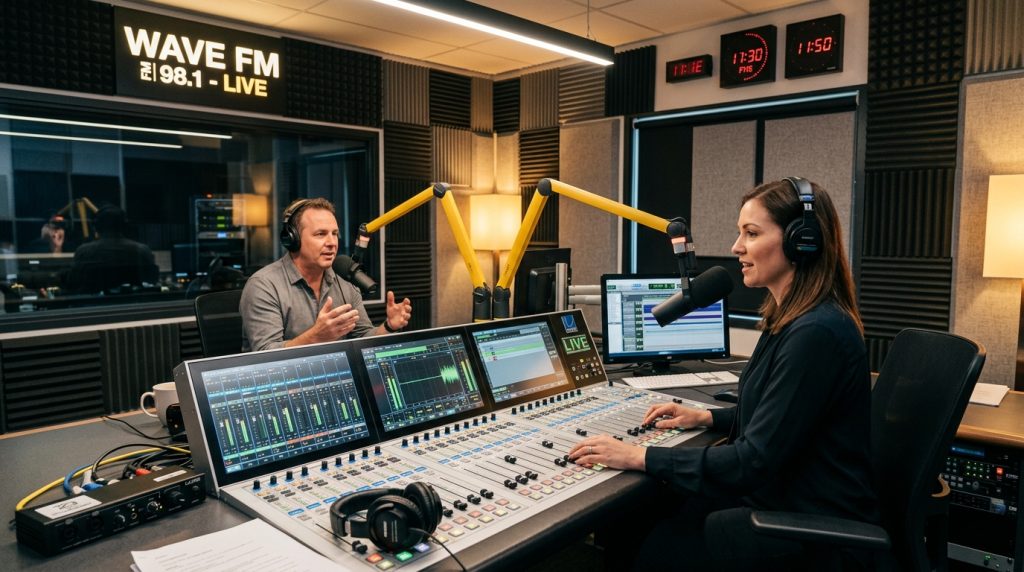
You can’t sit at the mic 24 hours a day, and your listeners don’t expect you to. AutoDJ is the piece that keeps the signal alive when you’re asleep, at work, or between live shows. It streams your music library and pre-recorded segments straight off the server, in the order you tell it to, so the station never drops to silence.
The mistake most new broadcasters make is treating AutoDJ like a giant shuffle button. Point it at a folder, hit play, walk away. It works, technically — but it sounds like exactly what it is. A little planning is the difference between “someone’s laptop on random” and a station people leave on for hours. If you’re still setting up the stream itself, our guide on choosing between Shoutcast and Icecast is the place to start; everything below assumes you’ve already got a stream running on a streaming host.
Daypart around real listeners
People don’t listen the same way at 7 a.m. and 11 p.m., so your programming shouldn’t be flat across the day. Radio people call this “dayparting” — splitting the clock into blocks and giving each one its own energy. It’s the single biggest upgrade you can make to an automated station.
A simple daypart map for a music station might look like this:
| Block | Hours | Feel |
|---|---|---|
| Morning drive | 6–10 a.m. | Upbeat, familiar hits, short talk breaks |
| Midday | 10 a.m.–3 p.m. | Steady, workday-friendly, wider variety |
| Afternoon drive | 3–7 p.m. | Higher energy again, current tracks |
| Evening | 7–11 p.m. | Themed shows, deeper cuts, guest mixes |
| Overnight | 11 p.m.–6 a.m. | Mellow, ambient, longer sets, fewer interruptions |
You don’t have to get this perfect on day one. Start with three blocks — day, evening, overnight — and split them further once you can see where people actually tune in and drop off in your stats.
Serving multiple time zones
If your audience is spread across countries, “peak hours” stops being a single thing. The trick is to stop thinking in your own local time and schedule in your server’s time instead, then map each audience’s prime hours onto it. A high-energy block you built for a European morning can pull double duty as a late-night block for listeners in the Americas.
Look at where your listeners really are — most SonicPanel streaming plans show you geography and concurrent listeners — and weight your best programming toward whichever region actually fills the room. Chasing an audience you wish you had is a fast way to bore the one you’ve got.
Rotation that doesn’t get stale
Nothing makes a listener reach for the dial faster than hearing the same ten songs on a loop. The fix is a weighted rotation: not every track gets played at the same frequency. Sort your library into tiers and let the AutoDJ pull from each at different rates.
- Heavy rotation — new and hot. Your current focus tracks, surfacing every 2–3 hours. Keep this pool small so it stays special.
- Medium rotation — proven favourites. The songs people expect, every 6–8 hours.
- Light rotation — deep cuts. Variety and surprise, once a day or less.
Add a simple “no artist twice in an hour” rule if your software supports it, and the whole thing immediately sounds more curated. A tidy, well-tagged library makes this painless, which is one more reason to keep your media organised on fast NVMe-backed streaming storage rather than a slow shared disk.
Crossfades & loudness
Two boring technical settings do more for how “professional” you sound than any playlist choice: crossfade and loudness.
A short crossfade — usually 2 to 4 seconds — smooths the gap between tracks so there’s no jarring silence or hard cut. Bump it up for chilled overnight sets, tighten it for punchy drive-time. Just don’t overdo it; an eight-second fade on an up-tempo show sounds like the songs are melting into each other.
Loudness matters even more. If one track is mastered quiet and the next is slammed, your listener is constantly reaching for the volume. Turn on your software’s ReplayGain or normalization so everything plays at a consistent level. Broadcasters usually aim somewhere around −16 LUFS for streaming; you don’t need to obsess over the number, you just need everything to sit in the same ballpark.
Ads, jingles & station IDs
Station IDs and jingles are what tell a half-listening ear “this is a real station, and here’s its name.” Sprinkle them in — a common rhythm is an ID or jingle every 4 or 5 songs. Any decent AutoDJ lets you set an interval rule like “insert from the jingles folder every 15 minutes” so you’re not scheduling them by hand.
If you’re running ads, a short break roughly every 30 minutes is a sensible starting point. Keep breaks tight — listeners forgive one or two spots, not five — and always land back on a strong track, never a slow one. When you’re ready to actually sell that airtime, the businesses paying you become recurring clients, which is the same low-overhead model behind reselling streaming to other stations.
Frequently asked questions
Do I really need AutoDJ if I stream live most of the day?
Yes. The moment you step away, AutoDJ is what keeps the stream from cutting out. Even part-time live stations use it to cover nights, weekends and the gaps between shows.
How often should I play ads and IDs?
A station ID or jingle every 4–5 songs, and a short ad break around every 30 minutes, is a comfortable default. Adjust to taste once you see how your listeners respond.
How do I handle listeners in different time zones?
Schedule in server time and map each region’s peak hours onto it, reusing blocks where they overlap. Let your listener stats, not guesswork, decide which region gets your best slots.
Can I host and resell streaming for several stations?
Yes — our white-label streaming reseller plans let you run multiple stations and bill them under your own brand from one panel.
None of this needs to be perfect before you go live. Get a rough day/evening/overnight split running, turn on crossfade and loudness, drop in your IDs, and start watching your listener stats. The station you end up with in a month will be shaped far more by what those numbers tell you than by any schedule you draw up today — so ship it, then tune it.
Need a home for your station?
GabeHost audio streaming runs on SonicPanel with AutoDJ built in, NVMe storage and your choice of Shoutcast or Icecast — from $5.95/mo.
Part of the GabeHost team — reseller hosting and audio streaming, minus the jargon.