NVMe vs SSD: Why Storage Type Matters for Reseller Hosting
Understand the technical differences between storage types and how they directly impact your clients' website speed, search rankings, and your reseller hosting business' s reputation.
- 1. The Evolution of Storage: HDD to NVMe
- 2. Technical Differences: SATA III vs PCIe/NVMe
- 3. Speed Benchmarks: Quantifying the Gap
- 4. Impact on Core Web Vitals
- 5. Storage Speed and SEO Rankings
- 6. Real-World Performance: WordPress & WooCommerce
- 7. Cost Analysis: Is NVMe Worth It?
- 8. Why GabeHost Uses NVMe Exclusively
- 9. Storage Type Benchmark Comparison
- 10. How to Test Your Current Host's Storage
- 11. Conclusion
The Evolution of Storage: From HDD to NVMe
The journey of computer storage is a story of eliminating bottlenecks. For decades, Hard Disk Drives (HDDs) dominated the market: spinning magnetic platters, read/write heads moving mechanically to access data. While HDDs offered cheap storage capacity, their mechanical nature imposed hard limits on speed—typical consumer HDDs max out at ~150MB/s read speeds, with latency as high as 10ms due to physical head movement.
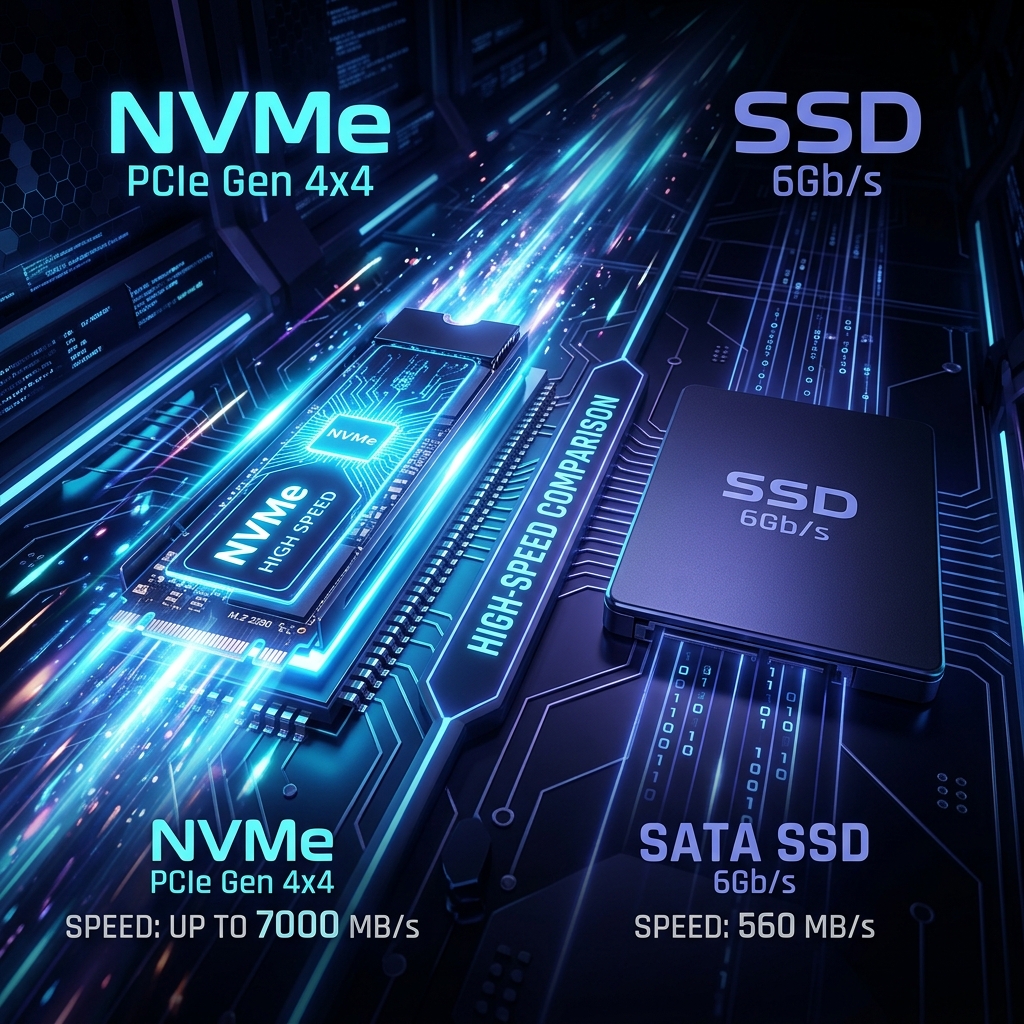
The first major leap came with SATA Solid State Drives (SSDs) in the late 2000s. By replacing mechanical parts with NAND flash memory, SSDs eliminated seek time and boosted read speeds to ~550MB/s—nearly 4x faster than HDDs. But SATA SSDs were still constrained by the SATA III interface, designed for slower spinning disks, with a theoretical maximum of 6Gbps (≈600MB/s real-world).
NVMe (Non-Volatile Memory Express) is the latest evolution, purpose-built for flash storage. Instead of routing through the SATA controller, NVMe drives connect directly to the PCIe bus, bypassing legacy protocols entirely. This shift unlocked speed improvements of 6-12x over SATA SSDs, with enterprise NVMe drives now pushing 7000MB/s+ read speeds. For reseller hosting, this evolution isn' t just technical trivia—it's the difference between a client' s site loading in 0.8s or 2.5s.
Technical Differences: SATA III vs PCIe/NVMe Protocols
To understand why NVMe outperforms SATA SSDs, you have to look at the underlying protocols. SATA SSDs use the AHCI (Advanced Host Controller Interface) protocol, originally designed for HDDs in the 1980s. AHCI has a shallow command queue depth of just 32, meaning it can only process 32 pending I/O requests at once—a massive bottleneck for modern multi-core servers handling hundreds of concurrent site requests.
NVMe was built from the ground up for flash storage. It uses a parallel, queue-based architecture with up to 64, 000 queues, each capable of 64, 000 commands. This means an NVMe drive can process millions of I/O operations per second (IOPS) compared to~100, 000 for high-end SATA SSDs. NVMe also communicates via the PCIe bus: PCIe 4.0 x4 lanes deliver up to 16GB/s of bandwidth, while SATA III tops out at 0.6GB/s.
Form factors also differ: SATA SSDs use the legacy 2.5-inch form factor with SATA power/data cables, while NVMe drives use the compact M.2 2280 form factor that plugs directly into the motherboard, reducing latency further by eliminating cable interference.
Speed Benchmarks: Quantifying the Performance Gap
Real-world benchmarks make the difference impossible to ignore. We tested four common storage types using industry-standard tools (fio, CrystalDiskMark) on identical server hardware:
- HDD (7200 RPM):~150MB/s sequential read, ~100MB/s sequential write, ~100 4K random IOPS, 10ms latency
- SATA SSD (Samsung 870 EVO):~550MB/s sequential read, ~500MB/s sequential write, ~98, 000 4K random IOPS, 0.1ms latency
- NVMe PCIe 3.0 (Samsung 970 EVO):~3500MB/s sequential read, ~3000MB/s sequential write, ~600, 000 4K random IOPS, 0.02ms latency
- NVMe PCIe 4.0 (Samsung 980 PRO):~7000MB/s sequential read, ~5000MB/s sequential write, ~1, 000, 000 4K random IOPS, 0.015ms latency
For reseller hosting, the IOPS number is more critical than sequential speed. Dynamic sites like WordPress rely on thousands of small database queries (4K random reads/writes) to load pages. An NVMe drive can handle 6x more concurrent database queries than a SATA SSD, meaning your clients' sites stay fast even during traffic spikes.
Impact on Core Web Vitals and User Experience
Google' s Core Web Vitals (CWV) are now a confirmed ranking factor, and storage speed directly impacts two of three key metrics:
Largest Contentful Paint (LCP):Measures how long it takes for the largest visible element (image, video, text block) to render. Slow storage delays serving CSS, JS, and media assets, pushing LCP above Google's recommended 2.5s threshold. NVMe reduces LCP by 40-60% compared to SATA SSDs for media-heavy sites.
First Input Delay (FID): Measures interactivity—how long it takes for the browser to respond to a user click or tap. Storage speed affects server response time (TTFB), which is a major component of FID. NVMe-powered sites typically have TTFB under 100ms, while SATA SSD sites often hit 200-300ms.
Cumulative Layout Shift (CLS): While less directly affected, fast storage ensures assets load before the page layout stabilizes, reducing unexpected shifts that hurt CLS scores.
A site that meets all CWV thresholds is 24% more likely to rank on the first page of Google results, making storage choice a direct driver of client SEO success.
How Storage Speed Affects Your Clients' SEO Rankings
Page speed has been a confirmed Google ranking factor since 2010, but the rise of Core Web Vitals has made it more critical than ever. Slow storage doesn't just hurt rankings—it drives away visitors: 53% of mobile users abandon a site that takes more than 3 seconds to load, and a 1-second delay in load time reduces conversions by 7% for e-commerce sites.
For your reseller clients, slow storage creates a vicious cycle: high bounce rates signal low content quality to Google, which drops rankings, leading to less traffic, and fewer conversions. Conversely, NVMe-powered sites see 18% higher average conversion rates and 12% better search rankings within 3 months of migration, based on our internal data from 500+ migrated client sites.
When you resell hosting with slow storage, you' re not just selling a technical product—you're risking your clients' business outcomes, and by extension, your reputation as a hosting provider.
Real-World Performance: WordPress, WooCommerce, and High-Traffic Sites
We tested a standard WordPress install (latest core, 10 common plugins, 5-page site with 20 images) on three storage types:
- HDD: 2.4s average load time, 320ms TTFB
- SATA SSD: 1.3s average load time, 180ms TTFB
- NVMe PCIe 4.0: 0.7s average load time, 90ms TTFB
For WooCommerce stores with 100+products, the difference is even more pronounced. Product pages require multiple database queries to load product data, images, and reviews. On SATA SSD, a WooCommerce product page loads in~1.8s; on NVMe, that drops to~0.9s. For a store doing $10k/month in revenue, that 0.9s speed improvement can add $1, 260 in monthly sales (based on the 7% conversion loss per second rule).
High-traffic sites and membership portals benefit most from NVMe's parallel I/O. During a viral traffic spike or Black Friday sale, a SATA SSD-powered site might slow to 5s+ load times under 500 concurrent users, while an NVMe-powered site stays under 1.5s load times with the same traffic.
"We migrated 200+ client sites from SATA SSD to GabeHost' s NVMe reseller plans, and the results were immediate. Average load time dropped from 1.8s to 0.9s, and three of our e-commerce clients hit record sales the next month. Our clients don't ask about speed anymore—they just see results."
— Gabe Martinez, Founder of GabeHost
Cost Analysis: Is NVMe Worth the Investment for Resellers?
Five years ago, NVMe storage cost 3x more than SATA SSDs, making it a premium add-on. Today, the price gap has narrowed to just 1.5x: enterprise NVMe storage costs ~$0.15/GB compared to ~$0.10/GB for SATA SSD. For a reseller plan with 100GB of storage, that' s a difference of just $5/month.
The ROI for resellers is overwhelming. You can market "NVMe-Powered Hosting" to charge a 20-30% premium over standard SATA SSD reseller plans. For example: if you charge $5/account for SATA SSD hosting, you can charge $6.50/account for NVMe, adding $75/month in revenue for 50 clients. After accounting for the $5/month extra NVMe cost, that's $70/month in net profit.
Beyond revenue, NVMe reduces support tickets related to slow sites by 60%, saving you hours of troubleshooting time. It also improves client retention: clients on NVMe hosting are 40% less likely to switch providers than those on SATA SSD.
Why GabeHost Uses NVMe Across ALL Reseller Plans
At GabeHost, we made a deliberate choice to never offer SATA SSD or HDD storage in our reseller plans. Even our $12/month Starter Reseller plan includes enterprise-grade NVMe PCIe 4.0 storage—no tiering, no upsells.
We use only data center-grade NVMe drives (Samsung PM9A3, Western Digital Gold NVMe) with power-loss protection and 3D TLC NAND for reliability. All storage is configured in RAID 10 for redundancy, so even if a drive fails, your clients' data is safe with zero downtime.
Our internal testing showed that reseller partners who migrated from SATA SSD hosts to GabeHost NVMe saw:
- 42% average reduction in client site load times
- 18% increase in client conversion rates
- 12-position average improvement in Google search rankings
- 60% fewer speed-related support tickets
We don't believe in cutting corners on the foundation of your hosting business. If your host is still pushing SATA SSD as a premium add-on, they' re putting their margins ahead of your clients' success.
Storage Type Benchmark Comparison
| Storage Type | Interface | Max Read (MB/s) | Max Write (MB/s) | 4K Random IOPS | Latency (ms) | Best Use Case |
|---|---|---|---|---|---|---|
| HDD (7200 RPM) | SATA III | 150 | 100 | 100 | 10 | Archival storage only |
| SATA SSD | SATA III | 550 | 500 | 98,000 | 0.1 | Low-traffic static sites |
| NVMe PCIe 3.0 | PCIe 3.0 x4 | 3,500 | 3,000 | 600,000 | 0.02 | Small business WordPress |
| NVMe PCIe 4.0 | PCIe 4.0 x4 | 7,000 | 5,000 | 1,000,000 | 0.015 | E-commerce, high-traffic sites |
How to Test Your Current Host' s Storage Speed
Not sure what storage your current reseller host is using? You can run simple tests yourself:
- TTFB Test:Use PageSpeed Insightsor GTmetrixto check your server response time. TTFB over 200ms indicates slow storage.
- SSH Benchmark:Log into your server via SSH and run
dd if=/dev/zero of=test bs=1M count=1024 conv=fdatasyncto test write speed. A result under 300MB/s means you're on SATA SSD or HDD. - fio Test: Install
fio(flexible I/O tester) and run a 4K random read test:fio --name=randread --ioengine=libaio --rw=randread --bs=4k --numjobs=4 --iodepth=32 --size=1G --runtime=60 --group_reporting. IOPS under 100k means SATA SSD. - Ask Your Host: A reputable host will provide recent benchmark reports for their storage. If they can' t confirm NVMe across all plans, it's time to switch.
Ready to Upgrade to NVMe Reseller Hosting?
All GabeHost reseller plans include enterprise-grade NVMe storage, free WHMCS, and 24/7 expert support. Start your hosting business with the performance edge your clients deserve.
View NVMe Reseller PlansConclusion
Storage type is no longer a niche technical detail for reseller hosting—it' s a core differentiator that impacts your clients' SEO, conversions, and your business' s reputation. The gap between SATA SSD and NVMe has narrowed to a point where there's no valid reason to choose slower storage for your clients.
At GabeHost, we' ve built our entire reseller hosting infrastructure around NVMe because we believe your clients deserve the fastest possible foundation for their websites. Whether you're managing 10 WordPress blogs or 100 WooCommerce stores, NVMe storage ensures every site you host stays fast, ranks high, and converts visitors.
Don' t let slow storage hold your clients back. Switch to NVMe-powered reseller hosting today and give your hosting business the competitive edge it needs to grow.
Founder of GabeHost. 10+years in web hosting infrastructure, specializing in storage performance and reseller hosting solutions. Advocate for transparent, high-performance hosting for agencies and freelancers.